
If you are looking to receive updates on your mobile device about AYOA tasks, messages, due dates or similar, there are some settings you can adjust to ensure you stay up to date.
Firstly, head over to the AYOA web version (on mobile or desktop) and hit 'settings'
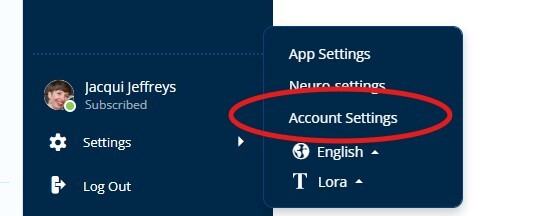
Then, select 'Account Settings' and head to 'Notifications and Emails'
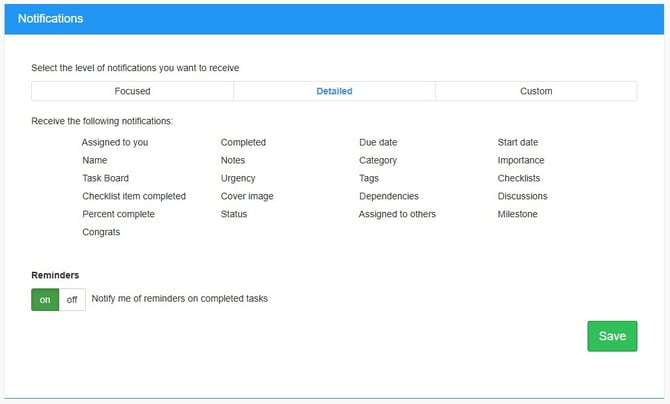
Choose any option, from 'Focussed' (reduced notifications); 'Detailed' (all notifications) or 'Custom' (of your own selection).
Additionally, you will need to select your notification preferences on your mobile application. To do this, head to your device settings, and dependent on your provider, you will be able to edit these in 'Application' or 'Notification' level settings.